
Turn Your WordPress Site Into an AI-Readable Semantic Data Layer
Schema App helps organizations structure and govern their website data so search engines and AI systems can accurately understand, surface, and represent their content.
From simple automated schema markup to enterprise-scale semantic infrastructure, Schema App supports WordPress teams at every stage of growth.

Visibility Is Changing
Search engines and AI systems no longer just index webpages. They interpret entities, relationships, and meaning.
Without structured, connected data, AI systems are forced to guess what your content means — leading to missed visibility, inconsistent representation, and unreliable AI answers.
Schema App helps WordPress sites create machine-readable structured data that improves visibility across traditional and AI search engines.
End-to-End Schema Markup Solution for WordPress Sites
For Enterprise Marketing Teams
For enterprise organizations using WordPress as part of a larger digital ecosystem, Schema App provides a managed semantic data layer designed for scale, governance, and AI readiness.
With Schema App, you can:
- Deploy schema markup at scale without relying on engineering sprints
- Build connected entity relationships across your website
- Create a governed source of truth for search engines and AI
- Support AI visibility initiatives with structured, machine-readable data
- Maintain consistency across thousands of pages and multiple teams
- Reduce manual schema markup maintenance and technical debt

Get in touch with us to learn more about our End-to-End Schema Markup Solution for Enterprise Marketing Teams
Schema App Structured Data WordPress Plugin
Free | For Smaller WordPress Sites
Schema App’s Structured Data WordPress Plugin is a free plugin that automatically creates Schema Markup for all your pages, posts, author, and category content to improve eligibility for rich results and enhance search visibility.
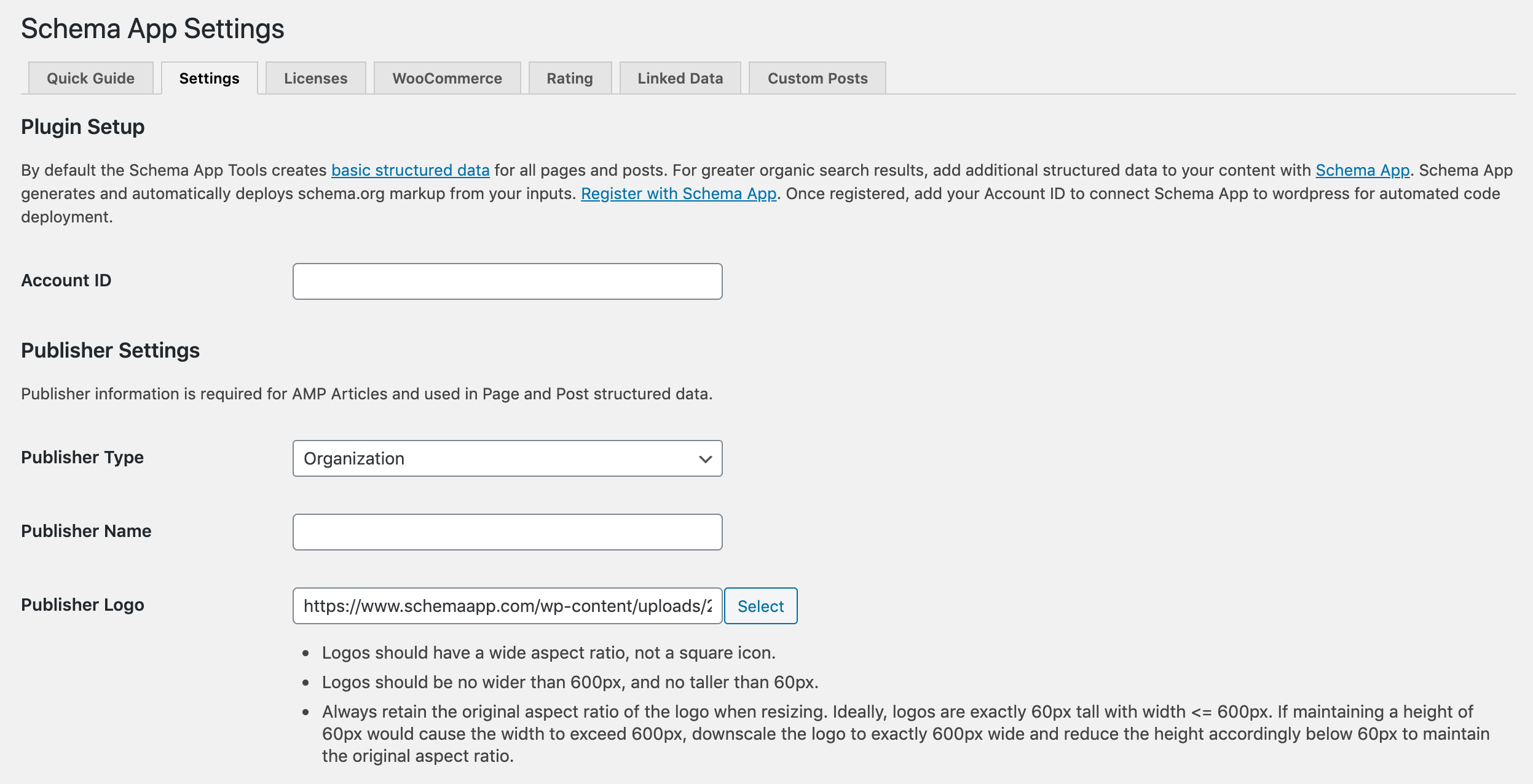
Simply activate the plugin and add your logo and the name of your organization. The plugin will automatically optimize your content so search engines can fully understand it, resulting in higher quality traffic and more.

WordPress Plugin vs. End-to-End Schema Markup Solution
Compare both solutions to decide which option is right for your business
Structured Data WordPress Plugin
For Small WordPress Sites
Free
End-to-End Schema Markup Solution
For large enterprise WordPress sites
Custom Pricing
Schema Types Available
Schema.org Types you can utilize to describe your content
- Article
- BlogPosting
- SearchResultsPage
- ProfilePage
- CollectionPage
- Blog
- BreadcrumbList
- VideoObject
- WebSite
- Article
- BlogPosting
- SearchResultsPage
- ProfilePage
- CollectionPage
- Blog
- BreadcrumbList
- VideoObject
- WebSite
- Plus the entire Schema.org vocabulary (including extensions)
Schema Markup Authoring
How your Schema Markup gets authored
The plugin automatically creates and adds markup for all your pages, posts, author, and category content, leveraging information on your WordPress website.
Your Customer Success Manager will help you customize and author your Schema Markup using the Schema App Editor and Highlighter.
Rich Results Opportunities
Rich results you can achieve through the Schema Markup provided
Breadcrumbs
Sitelink Search Box
Video Rich Results
Any rich result desired (if the relevant content is visible on the site)
Creation of Schema Markup Strategy
Support to create and customize your Schema Markup strategy to fit your business goals
Generate Custom Advanced Markup
Ability to customize the Schema Markup on any page and nest the entities across your site to showcase their relationships
Perform Entity Linking
Ability to link the entities on your site to other known entities on external authoritative knowledge bases within your Schema Markup
Development of Reusable Content Knowledge Graph
Nesting and connecting of entities across your site using your Schema Markup and consolidation of your Schema Markup into a reusable content knowledge graph
Access to Schema Markup Experts
Assigned Customer Success Manager to manage your Schema Markup strategy
Ongoing maintenance, monitoring, and optimization of your Schema Markup strategy and timely response
Reports on Schema Markup performance and impact of Schema Markup on business outcomes
Frequently Asked Questions
These are the following steps to set up the plugin:
- Login to your WordPress.
- Download the Schema App Structured Data WordPress Plugin from the plugin repository.
- Go to your Plugins menu on WordPress and activate the plugin.
- Go to your Settings menu > Schema App.
- Within the plugin’s Settings tab, fill out the following:
- Publisher Type
- Publisher Name
- Publisher Logo
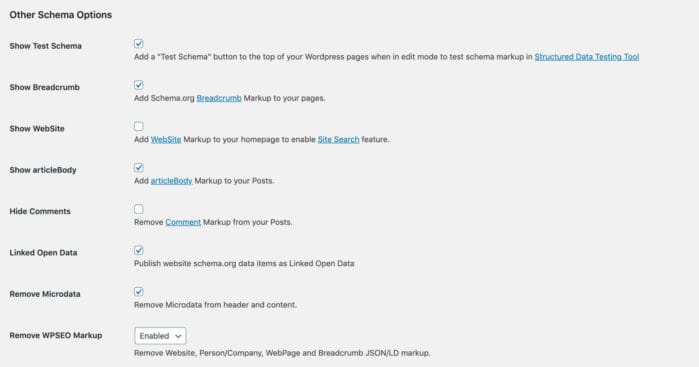
- Update the rest of the Schema Default Settings within the plugin’s Settings tab.
- Done! The plugin will automatically start generating Schema Markup for your pages, posts, author, and category pages.
For more detailed instructions on setting up the plugin, please read our ‘How To: Set Up the Schema App WordPress Plugin‘ support article.
The Schema App Structured Data WordPress Plugin will automatically generate Schema.org AMP-compliant markup for your pages, posts, author, and category content, using the existing content on your site.
The plugin will automatically generate the following types of markup for these specific pages on your WordPress site:
- Page: https://schema.org/Article
- Post: https://schema.org/BlogPosting
- Search: https://search.org/SearchResultsPage
- Author: https://schema.org/ProfilePage
- Category: https://schema.org/CollectionPage
- Tag: https://schema.org/CollectionPage
- Blog: https://schema.org/Blog
- BreadcrumbList: https://schema.org/BreadcrumbList
- Video: https://schema.org/VideoObject
- WebSite: https://schema.org/WebSite
This is primarily a technical limitation of WordPress. It uses a database called MySQL, a relational data model invented over 20 years ago and schema.org, invented 5 years ago, is based on a graph data model. To create robust tools for schema.org, we use a graph database and implement it off your server because WordPress’ database isn’t designed to handle it. It is possible to more tightly integrate with the WordPress REST API, and in the future we’d like to do that. In the meantime, in the page and post editors you will see the “Schema.org Structured Data” form below the editor that helps you interact with the Editor.
The Free Structured Data WordPress plugin will only make you eligible for a Sitelink search box, breadcrumbs, and video rich results.
However, if you are subscribed to our end-to-end Schema Markup solution, you can generate markup for any rich results (provided you have the content and the required properties for the targeted rich result) using the Schema App Editor or Highlighter. The plugin will then deploy your custom markup from the Schema App platform to your WordPress site, making your content eligible for your target rich results. See Google’s list of available Rich Results for more information.
There is no specification requiring videos to be self-hosted as long as the markup follows the required properties. Additionally, there is no reason it wouldn’t be eligible for rich results.
Embedded YouTube videos will receive automatic markup.
Yes, we can mark up any type of templated page using the Schema App Highlighter. You can only access the Schema App Highlighter if you have a subscription to our end-to-end Schema Markup solution.
You can customize your markup by subscribing to our End-to-End Schema Markup solution. This solution will provide you access to the Schema App Editor and Highlighter, allowing you to leverage the entire Schema.org vocabulary to describe your web content. The plugin will act as an integration between your WordPress site and our Schema Markup authoring tools, deploying the custom Schema Markup to your site.
Ready to implement accurate, advanced Schema Markup at scale on your WordPress Site?
Get in touch with us today to learn how Schema App can help your organization implement robust Schema Markup at scale to drive quality traffic.